
Why Your Printer Deserves a Spot in Your Security Plan
When you think about cybersecurity for your office, what comes to mind first? If you are like most business owners and office managers here in the Pacific Northwest, you probably picture changing your passwords, setting up firewalls, or moving files to a secure cloud backup. But there is a major data vulnerability that many teams completely look past, and it is sitting right in the middle of the hallway.
Modern office printers, copiers, and multi-function machines are not just mechanical boxes that put ink on paper anymore. They are fully functional, highly connected computers. They have internal hard drives, process incredibly sensitive data, and link directly into your main company network. Because of that, keeping your business safe means paying close attention to document and print security. At Capital Business Machines, our philosophy is all about bringing you modern solutions with old-fashioned service. We want to help you make sure your daily workflows stay efficient, but completely locked down.
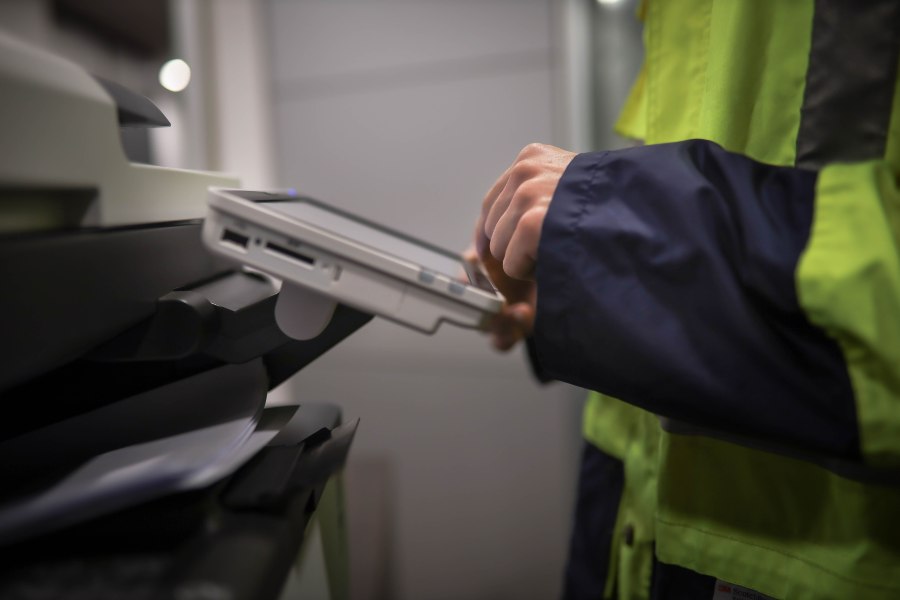
Print Security Matters More Than Ever
Every single time someone on your team clicks “Print” on a financial spreadsheet, a confidential client file, or a legal contract, that file travels across your local network. It then gets stored on the printer’s hard drive. If that machine is sitting out there unprotected, it is basically an open back door into your entire business network. Taking care of your data at the device level is a must-have for keeping your business running safely.
Common Print Security Risks
To fix a problem, you have to know where the cracks are first. A lot of office managers are surprised to learn just how many hands a single document passes through, and how easily data can slip through the cracks. Here are a few of the most common risks we see:
- The “Forgotten Print” Tray: We have all seen it. A sensitive report gets printed out and just sits on the tray for hours, where any visitor, delivery driver, or unauthorized employee walking by can read it.
- Leftover Hard Drive Data: Printers save digital copies of everything they process. If you ever retire or replace a machine without wiping that internal drive, all that old data goes right out the door with it.
- Network Interception: If your office network isn’t encrypted, cybercriminals can actually intercept files while they are traveling through the air from a laptop straight to the printer.
- Unrestricted Machine Access: Without a quick login step at the machine, anyone can walk up, scroll through the printer’s past history, or even browse through your connected cloud storage folders.
Protecting Sensitive Business Information
The easiest way to lock things down is to use end-to-end encryption. This makes sure that from the exact moment an office manager sends a file to print, all the way until the physical pages drop into the tray, the data stays completely unreadable to anyone trying to peek in. It may also be beneficial to set up tools like “pull-printing.” This holds your print job in a safe digital line until you physically walk up to the machine, scan a badge or type a quick PIN, and grab your pages yourself. That small change can make a big difference in a busy office. Depending on the equipment and your business needs, other security measures can include:
- User authentication
- Access controls and permissions
- Secure print release
- Data encryption
- Firmware updates
- Activity monitoring
- Secure document workflows
Strengthening Compliance Efforts
Keeping up with regional and federal regulations requires a strong handle on print compliance and security. An unsecured setup can lead to unexpected compliance audits and heavy fines. By putting a solid document security strategy in place, every single print, scan, and fax creates a clear, automated trail. This means if you ever need to prove exactly who accessed a specific file and when, you can pull up the answers in just a few clicks.
Securing the Print Infrastructure
Good print security starts with understanding what you actually have. Take a look around your office. How many printers and multifunction devices are connected to your network? Who uses them? What kind of information passes through them? Are they all running current software and firmware? Where are they located? These questions can uncover opportunities to tighten things up. Businesses may want to review:
- Printer and copier security settings
- User permissions
- Network connections
- Firmware and software updates
- Authentication requirements
- Data stored on devices
- Document retention and disposal
- Physical printer locations
The Role of Managed Print Services
We know that managing a fleet of copiers, tracking software updates, and worrying about data compliance can feel like a full-time job. It is easy for a busy office manager or a small, stretched-thin IT team to feel overwhelmed by it all. Local businesses often partner with a Managed Print Services (MPS) provider. A great MPS team takes all the guesswork out of document safety. They will take a look at your current setup, find any hidden security gaps, and set up automated tools to monitor everything in the background. Instead of scrambling to fix a glitch or a security issue after it happens, you get a team keeping things running smoothly and safely every day.
How Capital Business Machines Supports Secure Printing
At Capital Business Machines, we have spent decades growing deep roots and building real, long-term relationships across Thurston, Kitsap, Pacific, Grays Harbor, Pierce, Lewis, and Mason counties. We know that businesses out here want top-tier office automation and smart IT tools, but they also want to work with a local partner they actually know and trust.
We do things a little differently than the giant national corporations. We combine advanced security tech with a friendly, customer-first approach. When you call us, you are talking to local neighbors who truly care about your business. We are proud of our lightning-fast 3-hour service response time because we know you can’t afford to wait around when you need help.
Keep Your Business Secure With Smarter Document and Print Security
At Capital Business Machines, we provide document and print security solutions for businesses in Tacoma and Olympia, WA, helping you protect sensitive information while keeping your office technology simple and manageable. Contact us to find a secure printing solution that fits the way your business works.
Document and Print Security FAQs
What Is Document And Print Security?
It is the combination of software protocols, encryption, and office policies used to protect data on your printer. It shields digital files on the network, data stored on a printer’s hard drive, and physical documents on an output tray from unauthorized access.
Why Is Print Security Important For Businesses?
Printers are fully networked computers processing sensitive company and customer data. If left unsecured, hackers can use them to infiltrate your primary network, steal data, or trigger severe regulatory compliance fines.
What Are The Biggest Print Security Risks?
The most frequent risks are abandoned paperwork in open output trays, unencrypted files intercepted over corporate Wi-Fi networks, and leaving latent data on a copier’s hard drive when retiring or returning the equipment.