
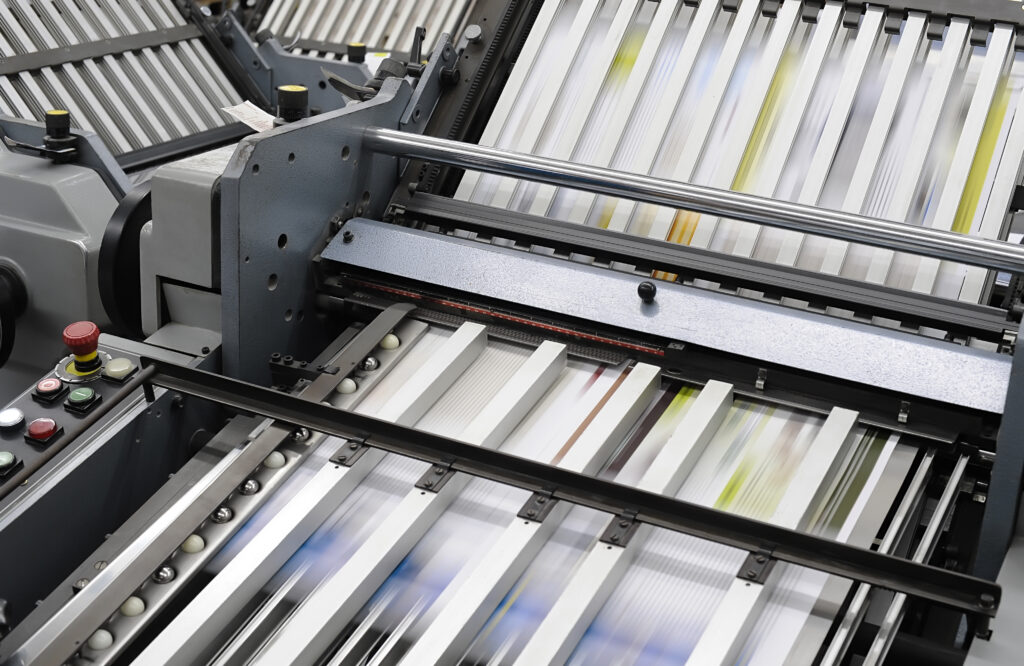
High-Volume Print Automation
The term high-volume print automation gets tossed around a lot, but what does it actually look like in your day-to-day operations? A lot of people assume print automation is all about speed: faster devices, quicker turnaround, higher page counts. But that’s only part of the story.
The Common Misconception About Print Automation
Automation isn’t just about faster printers or fewer manual steps. It’s a complete shift in how your documents move. When everything aligns, printing stops being a bottleneck and starts running smoothly in the background, the way it’s supposed to.
The biggest misconception about print automation is that it replaces people or removes oversight. In reality, it simply changes how the work gets done. You gain more visibility and control, while automation handles the repetitive tasks that drain time and introduce errors.
Here’s where many organizations get it wrong:
- Focusing only on hardware: Buying a faster machine without improving the surrounding workflow still leaves inefficiencies.
- Expecting an instant transformation: Automation requires planning, strategic integration, and fine-tuning until everything fits just right.
- Overlooking scalability: It’s great when a system solves today’s problems, but it should also be built to keep up as your business grows.
Core Components of Print Automation
High-performing automated print workflows rely on multiple moving parts working together. When one piece is missing, the whole system falls apart. But when they come together, your process becomes measurable and repeatable.
Here are the core components that make automation work:
- Workflow software: This is the brain of your operation. It ensures every document gets where it needs to go without manual input.
- Job submission tools: When employees and systems submit print jobs through standardized processes, confusion and inconsistencies become a thing of the past.
- Integration with business systems: Print workflows connect with your ERP, CRM, or document management platforms so information flows without duplicate entries.
- Rules-based automation: Predefined rules determine how jobs are handled, including routing, formatting, and prioritization.
- Monitoring and reporting tools: Real-time insights show what’s being printed, where, and at what cost.
Hardware That Supports Automation
Even well-planned automated print management needs the right equipment behind it. Hardware is what keeps high-speed production printing consistent, reliable, and connected to everything else.
This is where a lot of organizations either overbuy or underbuy. The goal is to find the right mix of devices that match your team’s workflow. Here’s what that looks like in practice:
- Multifunctional systems: Modern devices from SHARP handle printing, copying, scanning, and document distribution all in one. This means fewer steps for your team and smoother integration into your automated print workflows.
- Built-in cloud and network connectivity: SHARP systems integrate with popular cloud services and internal platforms, so documents move where they need to go without manual handoffs.
- Advanced scanning capabilities: Fast, accurate scanning with optical character recognition (OCR) turns paper documents into searchable digital files. This makes it easier to route, store, and retrieve information within your workflows.
- Production-level speed for high-volume needs: Modern machines are built to run consistently under pressure. This includes higher page-per-minute speeds and larger paper capacities with fewer interruptions.
- Automated finishing options: Features like stapling, hole punching, folding, and booklet-making reduce the need for manual handling. Your team saves time, and output stays consistent.
- Security features to protect your data: User authentication, secure print release, and data encryption are built in to protect sensitive information.
- Remote monitoring and service support: Devices that report their own status, supply levels, and maintenance needs keep you ahead of breakdowns. This allows for faster service response and reduces unexpected downtime.
Operational Benefits You Can Measure
Once your print workflow is optimized, it doesn’t take long for benefits to appear. You’re not left wondering if it’s working because you see the impact in how smoothly things run day to day. Here’s what to expect from print automation solutions:
- Faster turnaround times: Jobs move through the system without delays caused by manual input.
- Reduced labor demands: Staff spend less time managing print and more time on higher-value tasks.
- Fewer errors: Automated processes reduce the risk of misprints, duplication, and missed steps.
- Improved consistency: Every job follows the same rules for more predictable, reliable results.
- Cost visibility and control: You can see exactly where your print dollars are going, so it’s easier to make decisions about equipment, supplies, and workflows.
- Usage tracking: Every department and individual user is held accountable for their print activity.
- Waste reduction: Automation lessens wasteful printing practices and the need for rework.
What Implementation Really Looks Like
Implementing high-volume print automation is a structured process, with the most successful transitions incorporating practical, step-by-step improvements. It’s all about building a system that works today and continues to improve tomorrow.
Here’s what print workflow implementation and optimization look like:
- Assess current workflows: Start with a print audit and site survey to track usage and identify underused or overworked devices.
- Develop a strategy: Build a custom print plan based on user activity, department-level spending, and device performance so you know exactly where automation will have the greatest impact.
- Align your technology: Choose the right mix of multifunction SHARP copiers, production printers, or wide-format devices, along with software like PaperCut to manage print tracking, budgeting, and access control.
- Integrate and set up the system: Configure the printer network and enable features such as cloud integration and secure print release so everything works together seamlessly.
- Train your team: Launch the system with simple, role-based training that shows staff how to access devices, follow print rules, and use tracking tools effectively.
- Optimize over time: Use ongoing reporting and usage data to adjust device placement, reallocate budgets, and scale your system as your business evolves.
Get More Control Over Your Print Environment
High-volume print automation changes how your organization operates far beyond the print room. It improves structure, visibility, and cost efficiency while supporting your team with better tools and processes. The team at Capital Business Machines has spent more than 70 years supporting organizations across the Pacific Northwest with reliable office technology, fast service, and a customer-first mindset. We understand how to design and support print automation solutions that align with your goals. Contact us today to learn how a smarter print environment could benefit your operation in Thurston, Kitsap, Pacific, Grays Harbor, Pierce, Lewis, or Mason County.